Logitech G 945-000027 Flight Instrument Panel
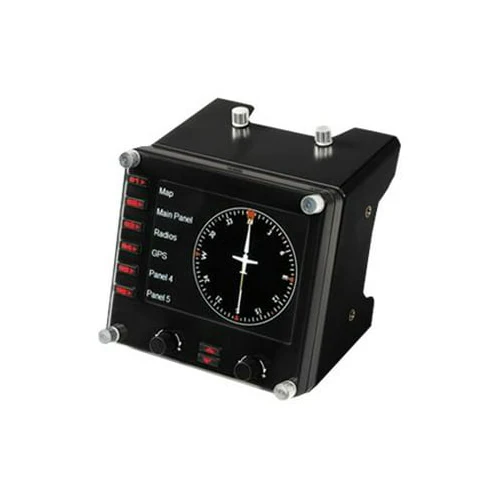
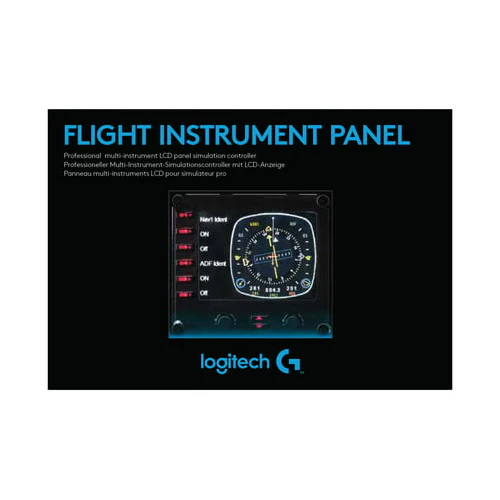
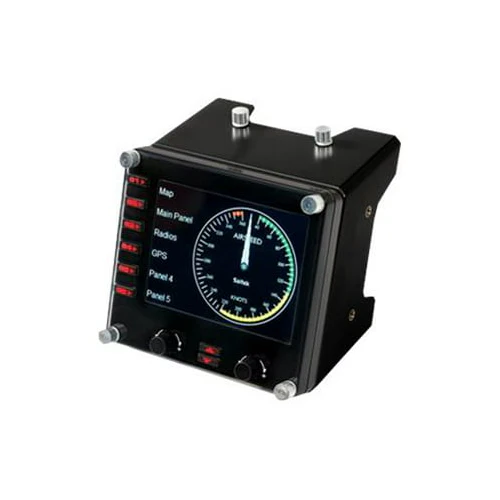
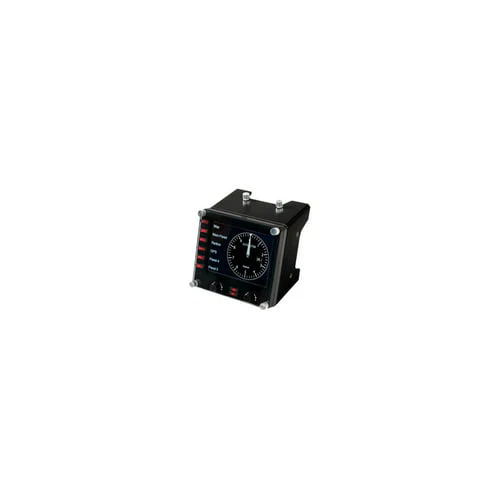
The Logitech G 945-000027 Flight Instrument Panel automatically updates and reacts to software events, giving you accurate, real-time access to important flight and aircraft information. Upgrade your flight sim experience with the Logitech G Flight Instrument Panel. A colorful 3.5-inch LCD screen seamlessly integrates into your favorite flight sim software.
Ready for Microsoft Flight Simulator
Take to the skies and experience the joy of flight in the next generation of Microsoft Flight Simulator, at its best on Logitech G flight equipment. You can travel the world in amazing detail with over 37 thousand airports, 2 million cities, 1.5 billion buildings, real mountains, roads, trees, rivers, animals, traffic, and more. Test your piloting skills against the challenges of night flying, real-time atmospheric simulation, and live weather in a dynamic and living world. Your panel works with Windows 7, 8.1, and 10. A quick installation of a small plug-in from the support page adds compatibility with your favorite flight simulation software for PCs including Microsoft Flight Simulator, FSX - Flight Simulator X, X-Plane 10, and Prepar3D.
15 Different Readouts in One Compact Box
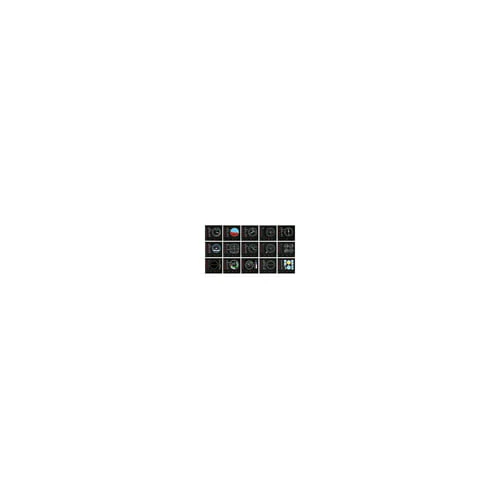
Easy transitions between displays. Toggle between 15 different displays, or utilize additional units to create a larger configuration which simultaneously displays multiple panels. Twin dials and a set of hotkeys simplify switching between various readouts. The display includes Airspeed Indicator, Attitude Indicator, Altimeter, VHF, Omnidirectional Radio (VOR) 1, Heading Indicator, Turn/Slip Indicator, Horizontal Situation Indicator (HSI), Vertical Speed Indicator, VHF Omnidirectional Radio (VOR) 2, Engine Gauges, ADF with Trim Indicator, Cessna Airspeed Gauge, RPM with Flaps Indicator, Airborne Direction Finder (ADF), Primary Flight Display (PFD).
Fully Customizable for All Flying Conditions
Modular and Interchangeable. The Logitech G range of panels can be situated one on top of another or side-by-side. Want the Multi Panel above the Radio Panel? Done. Prefer your Switch Panel to the left of your Yoke? Go for it. Easy-to-use mounting brackets provide the means to arrange your flight simulation setup into any configuration.
Learn to Fly an MD80
Simulate the Actual Aircraft with this Kit. For a quick simulation configuration to get you in the pilot’s seat of an MD80 twin-engine commercial jetliner, this bundle is the recipe.
Product Information
Product Information
Shipping & Returns
Shipping & Returns










Logitech G 945-000027 Flight Instrument Panel
Logitech G 945-000027 Flight Instrument Panel
The Logitech G 945-000027 Flight Instrument Panel automatically updates and reacts to software events, giving you accurate, real-time access to important flight and aircraft information. Upgrade your flight sim experience with the Logitech G Flight Instrument Panel. A colorful 3.5-inch LCD screen seamlessly integrates into your favorite flight sim software.
Ready for Microsoft Flight Simulator
Take to the skies and experience the joy of flight in the next generation of Microsoft Flight Simulator, at its best on Logitech G flight equipment. You can travel the world in amazing detail with over 37 thousand airports, 2 million cities, 1.5 billion buildings, real mountains, roads, trees, rivers, animals, traffic, and more. Test your piloting skills against the challenges of night flying, real-time atmospheric simulation, and live weather in a dynamic and living world. Your panel works with Windows 7, 8.1, and 10. A quick installation of a small plug-in from the support page adds compatibility with your favorite flight simulation software for PCs including Microsoft Flight Simulator, FSX - Flight Simulator X, X-Plane 10, and Prepar3D.
15 Different Readouts in One Compact Box
Easy transitions between displays. Toggle between 15 different displays, or utilize additional units to create a larger configuration which simultaneously displays multiple panels. Twin dials and a set of hotkeys simplify switching between various readouts. The display includes Airspeed Indicator, Attitude Indicator, Altimeter, VHF, Omnidirectional Radio (VOR) 1, Heading Indicator, Turn/Slip Indicator, Horizontal Situation Indicator (HSI), Vertical Speed Indicator, VHF Omnidirectional Radio (VOR) 2, Engine Gauges, ADF with Trim Indicator, Cessna Airspeed Gauge, RPM with Flaps Indicator, Airborne Direction Finder (ADF), Primary Flight Display (PFD).
Fully Customizable for All Flying Conditions
Modular and Interchangeable. The Logitech G range of panels can be situated one on top of another or side-by-side. Want the Multi Panel above the Radio Panel? Done. Prefer your Switch Panel to the left of your Yoke? Go for it. Easy-to-use mounting brackets provide the means to arrange your flight simulation setup into any configuration.
Learn to Fly an MD80
Simulate the Actual Aircraft with this Kit. For a quick simulation configuration to get you in the pilot’s seat of an MD80 twin-engine commercial jetliner, this bundle is the recipe.
Product Information
Product Information
Shipping & Returns
Shipping & Returns
Description
The Logitech G 945-000027 Flight Instrument Panel automatically updates and reacts to software events, giving you accurate, real-time access to important flight and aircraft information. Upgrade your flight sim experience with the Logitech G Flight Instrument Panel. A colorful 3.5-inch LCD screen seamlessly integrates into your favorite flight sim software.
Ready for Microsoft Flight Simulator
Take to the skies and experience the joy of flight in the next generation of Microsoft Flight Simulator, at its best on Logitech G flight equipment. You can travel the world in amazing detail with over 37 thousand airports, 2 million cities, 1.5 billion buildings, real mountains, roads, trees, rivers, animals, traffic, and more. Test your piloting skills against the challenges of night flying, real-time atmospheric simulation, and live weather in a dynamic and living world. Your panel works with Windows 7, 8.1, and 10. A quick installation of a small plug-in from the support page adds compatibility with your favorite flight simulation software for PCs including Microsoft Flight Simulator, FSX - Flight Simulator X, X-Plane 10, and Prepar3D.
15 Different Readouts in One Compact Box
Easy transitions between displays. Toggle between 15 different displays, or utilize additional units to create a larger configuration which simultaneously displays multiple panels. Twin dials and a set of hotkeys simplify switching between various readouts. The display includes Airspeed Indicator, Attitude Indicator, Altimeter, VHF, Omnidirectional Radio (VOR) 1, Heading Indicator, Turn/Slip Indicator, Horizontal Situation Indicator (HSI), Vertical Speed Indicator, VHF Omnidirectional Radio (VOR) 2, Engine Gauges, ADF with Trim Indicator, Cessna Airspeed Gauge, RPM with Flaps Indicator, Airborne Direction Finder (ADF), Primary Flight Display (PFD).
Fully Customizable for All Flying Conditions
Modular and Interchangeable. The Logitech G range of panels can be situated one on top of another or side-by-side. Want the Multi Panel above the Radio Panel? Done. Prefer your Switch Panel to the left of your Yoke? Go for it. Easy-to-use mounting brackets provide the means to arrange your flight simulation setup into any configuration.
Learn to Fly an MD80
Simulate the Actual Aircraft with this Kit. For a quick simulation configuration to get you in the pilot’s seat of an MD80 twin-engine commercial jetliner, this bundle is the recipe.